Pahatod
Local pickup, delivery, or pasabuy work.
LOCAL WORK, ON DEMAND
TaskGO PH is a local work marketplace where clients can quickly hire trusted help for practical tasks, and workers can earn, build ratings, and grow a verified work history from real completed jobs.
Agree on the price first. Check the completed work, then hand the agreed cash payment to your tasker. TaskGO PH does not collect or hold your payment.
POPULAR LOCAL SERVICES
From pahatod and house cleaning to aircon, appliance, and roof repair, TaskGO PH is built for practical local work that people actually need.
Trusted marketplace demo inspired by real freelance and local-service workflows
BROWSE BY CATEGORY
Like Upwork, users should quickly understand what they can hire for or earn from.
Local pickup, delivery, or pasabuy work.
Grass cutting, yard clearing, and outdoor cleanup.
One-time cleaning or regular home cleaning help.
Cleaning, diagnosis, and maintenance gigs.
TV, electric fan, ref, and home appliance jobs.
Roof leaks, gutter fixes, locks, faucets, and home repair.
Useful local work that people actually need every week.
Leaking faucets, drain concerns, and small plumbing fixes.
Basic electrical troubleshooting and household fixture help.
FOR CLIENTS
Post a task, browse fixed-price gigs, message a worker, or send a direct contract just like an Upwork-style hiring flow.
FOR WORKERS
Create gigs, send offers for tasks, build a public reputation, and receive the agreed payment directly from your client in cash.
Clients can browse gigs, contact workers, and create fixed or ongoing contracts with a clear task schedule and serial number.
Profiles show ratings, written feedback, completed jobs, earnings, and safety tools like reporting and admin review.
Inbox, notifications, finances, reports, billing, support tickets, and admin moderation make the demo feel more like a real product.
HOW IT WORKS
Keep the task details in your contract and pay your tasker directly.
Clients post a task or browse service gigs. Taskers apply for work or offer their skills. Use profiles and messages to discuss what is needed.
Confirm the scope, location, schedule, cash amount, and when payment is due. Put these details in a contract and have the tasker accept before starting.
Check the agreed work together. The client hands the cash directly to the tasker, who checks the amount. For ongoing work, follow the agreed payment schedule.
After the work is completed, both the client and the tasker leave a star rating and written feedback about each other. Share an honest account of the work, communication, and payment.
TASKGO PH ACCOUNT
This is a browser-only demo. Do not use a real password.
TASKGO PH FOR COMPANIES
Company accounts have a focused marketplace for discovering worker profiles and gigs.
WORKER DIRECTORY
Browse faces, skills, work history, certifications, ratings, and public names before contacting someone.
SERVICE GIGS
Browse packaged local services from workers and open the gig for details.
TASKGO PH AGENCY
Create and manage a team under your client account, similar to an agency workspace.
AGENCY WORKSPACE
Workers currently represented by this agency.
AGENCY FINANCE
Track client payments, team payouts, pending money, and agency balance.
Demo billing and team payout activity.
Amounts distributed to agency members in this demo.
COMPANY FINANCE
Track company spending, amounts due, and active worker commitments.
Payments and current billing items for hired workers and gigs.
Sample company spend grouped by worker.
WORK MARKETPLACE
50 sample jobs
FIXED-PRICE SERVICES
Like Fiverr: browse services that workers are ready to provide.
CLIENT MODE
Find a local worker for a one-time or short-term job.
WORKER MODE
Offer a fixed-price service that clients can discover and order.
DIRECT HIRE
Send a private job offer to Worker. The worker can review, accept, or decline it.
DIRECT HIRE
Track contract proposals you sent or received.
MY TASKGO PH
Switch modes here or from the header at any time.
CLIENT MODE
Manage tasks, active contracts, and payments.
MONEY & CONTRACTS
Track worker income, withdrawals, client spending, and amounts due on active contracts.
Customize the date range just like a freelancer earnings report.
Agree on the amount and payment schedule in your contract. TaskGO PH does not hold or transfer money. Existing finance figures are demo records.
Completed work units waiting for client payment.
Demo payments already released.
Future work is not charged until work is completed or becomes payable.
CONTRACTS
Accepted work that is currently underway, including multi-day contracts that are not finished yet.
CONTRACTS
Review active, completed, pending, declined, and task-based work agreements in one place.
WORK AGREEMENTS
Review direct proposals and contracts agreed through task offers, including the final price, scope, and schedule.
FINANCES
Switch between money you earn as a Worker and money you pay as a Client.
Ongoing work is recognized gradually as work units are completed.
Latest earnings and withdrawals.
Completed work units currently due.
Current and upcoming contract commitments.
FINANCES
View Worker earnings/withdrawals or Client billing/payments in chronological order.
Earnings and withdrawals are combined below.
Payments, due billing items, and refunds appear here.
FINANCES
One view for the money you earn as a Worker and the amounts you pay as a Client.
FINANCES
Create a personal summary for any date range covering earnings, withdrawals, client spending, and work activity.
Choose any custom date range.
Select a period to generate your report.
TASKGO PH LEADERBOARDS
Explore strong demo profiles by activity, money, and feedback.
HOW IT WORKS
Four steps: find a match, agree on the work, complete it and pay in cash, then leave ratings and feedback for each other.
Clients post a task or browse service gigs. Taskers apply for jobs or publish their services. Review profiles and feedback, then use messages to discuss the work.
Confirm the scope, location, schedule, cash amount, and payment timing. The client sends a contract proposal and the tasker reviews it before accepting and starting work.
Check the completed work together. The client hands the agreed cash payment to the tasker, who checks the amount.
After the work is completed, both the client and the tasker leave a star rating and written feedback about each other. Clients review the work and reliability. Taskers review communication and payment. Both perspectives help build trust.
STEP 1 IN PRACTICE
Clients can post a task or browse gigs. Taskers can check client task posts and find work that fits their skills. Select a screenshot to enlarge it.
Describe the task, set a budget, and add a location and schedule. This example draft includes the agreed cash payment.
Browse taskers' services, compare starting prices and ratings, and open a gig to learn what is included.
Filter jobs by location and category. Review the client's task details and budget before opening a job to apply.
Screenshots from the TaskGO PH demo. Jobs, prices, ratings, and reviews shown here are examples.
BEFORE STEP 2 · REVIEW THE APPLICATIONS
In Client mode, open My TaskGO PH → Dashboard → My Tasks and select Open on your posted job. The Tasker offers section shows the applications received.
Compare each tasker's star rating, proposed amount, and message. This sample job has two offers. Select Profile to learn more before choosing whom to hire.
The Profile button opens the applicant's profile. Review their summary, location, skills, rating, and completed jobs. Scroll through work history and client feedback, and use Message to clarify the task before agreeing.
Illustrative demo applications and profile information. The full client and tasker feedback screenshots are shown below.
STEP 3 · FINISH THE WORK & PAY IN CASH
Review the completed task or milestone together, confirm the amount due, and pay directly. For ongoing jobs, follow the payment schedule in your contract.
Open Contracts → All Work Contracts. This sample shows a contract at ₱650 per day, with 2 of 4 days completed. Check the work and any previous payments before confirming the amount due.
Compare it with the agreed scope. Discuss anything incomplete before confirming completion.
Pay the agreed amount for the completed task, day, or milestone directly to the tasker.
Count the cash together and acknowledge receipt in your messages. Then both leave a rating and written feedback.
Illustrative example only. Send an acknowledgment only after receiving the cash.
TaskGO PH does not collect, hold, or transfer the payment. You do not need to fund an in-app wallet or withdraw earnings. Finance figures in this preview are demo records and do not confirm that cash changed hands.
If the amount is wrong or the work is incomplete, refer to the contract and discuss the issue. Keep relevant messages, use Contact Support for a concern, or report suspected scams from the profile.
STEP 4 · FEEDBACK GOES BOTH WAYS
After the work is completed, both the client and the tasker leave a star rating and written feedback about each other. These sample profiles show where feedback and work history appear.
Taskers can review the client's rating, completed hires, previous work history, and feedback about communication and the work experience.
Clients can review the tasker's rating, completed jobs, skills, previous work history, and feedback about the quality and reliability of the work.
These are fictional demo profiles and reviews. Previous work history is profile information; written feedback describes a reviewer's experience.
GET STARTED
FOR CLIENTS
FOR TASKERS
ABOUT TASKGO PH
TaskGO PH is being designed as a local opportunity marketplace where people can hire trusted help, offer useful services, and build a visible work reputation through real completed jobs.
Useful skills should create opportunities even when someone lacks a traditional résumé.
Profiles, ratings, feedback, privacy, and job history help people make better decisions.
Small tasks can become experience, reputation, bigger projects, and future work.
THE PROBLEM
Many capable people can clean, organize, encode data, run errands, assist events, move items, help businesses, or perform other useful work—but may struggle to find opportunities because they lack formal experience, credentials, references, or access to the right network.
At the same time, clients and small businesses often need flexible help but do not have a simple, trusted way to find someone nearby, review their work history, communicate, and agree on the job.
OUR SOLUTION
TaskGO PH brings the strongest ideas from local task apps and freelance marketplaces into one platform: public jobs, worker gigs, private direct contracts, messaging, ratings, feedback, and one account that can both hire and work.
Over time, completed work can form a verified TaskGO PH reputation—helping workers prove reliability and skills through what they have actually done.
WHY WE EXIST
To become the Philippines' most trusted platform for local work and everyday services, where anyone can access opportunities, earn through their skills, and build a reliable work reputation regardless of educational background or formal employment history.
To connect people and businesses with reliable local workers for everyday tasks, short-term work, and future opportunities—while helping workers prove their value through completed jobs, verified skills, reliability, and customer feedback.
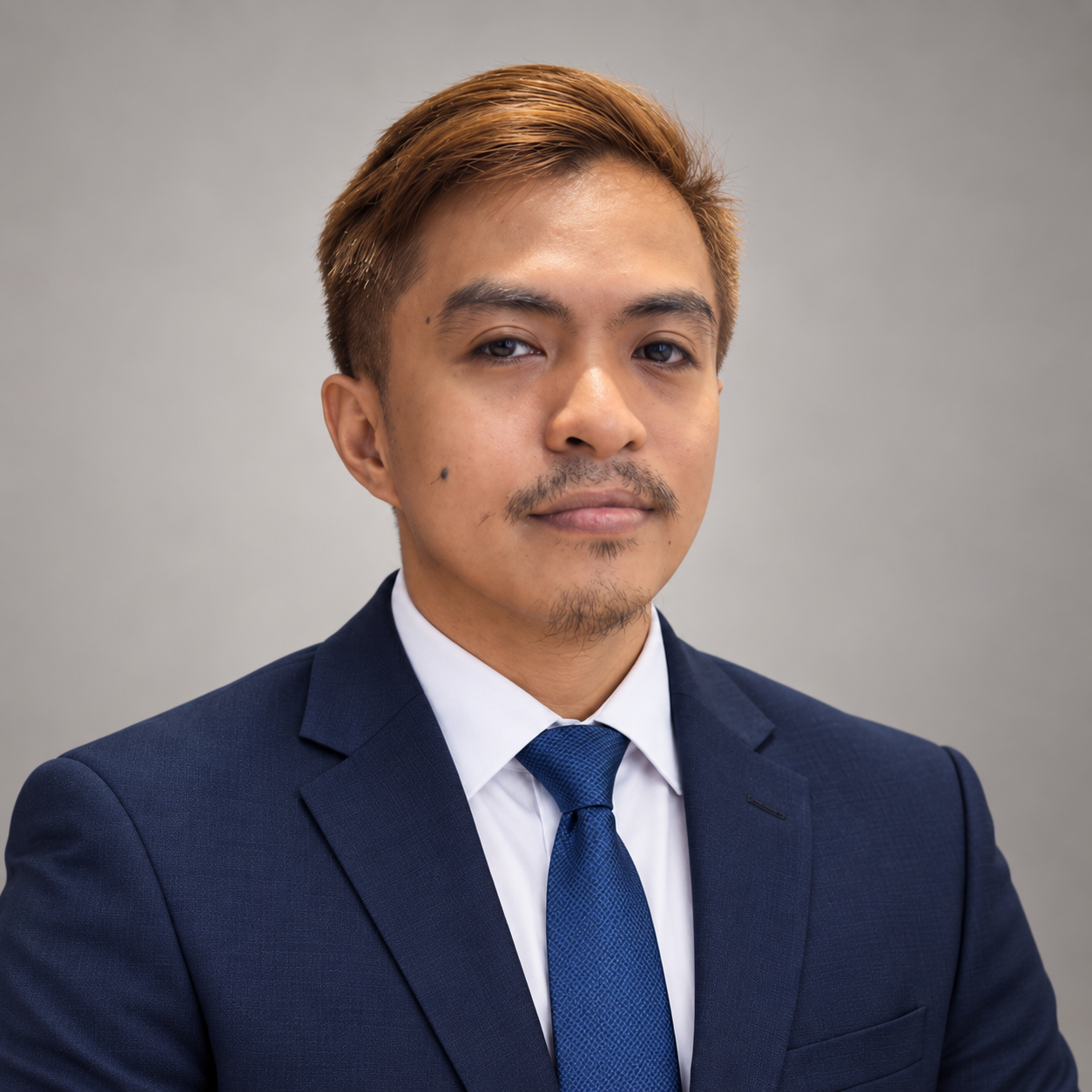
FOUNDER STORY
Founder • Online freelancer since 2011
I've been doing online jobs and freelance work since 2011 and have tried several platforms along the way. That experience showed me that every platform solves a different part of the work journey—finding projects, offering services, communicating with clients, building ratings, or getting paid.
TaskGO PH comes from the idea of bringing the best parts of those experiences into one local-first platform: a place where people can find immediate tasks, publish gigs, receive direct offers, build feedback, and gradually create a work reputation that can open bigger opportunities.
The goal is not only to make hiring more convenient. It is to give capable people more ways to show what they can do.
TASKGO PH SUPPORT
Chat with the TaskGO support team. If nobody is online, leave a message and check the chat for a reply.
CONTACT SUPPORT
This static MVP does not send email yet. Submitting this form saves a demo ticket in your browser so you can test the experience.
In a real launch, TaskGO PH should provide a dedicated safety escalation process and clearly direct users to local emergency services when immediate danger is involved.
FREQUENTLY ASKED QUESTIONS
These answers describe the current product concept and demo—not final production policies.
TaskGO PH is a local work marketplace concept where clients can post tasks, workers can apply, workers can publish gigs, and clients can send direct contract proposals.
Yes. TaskGO PH is designed around one account with two modes. You can hire someone from the Client side and earn from jobs or gigs on the Worker side.
TaskGO PH's privacy concept keeps public identities masked. A worker or client is shown through a TaskGO PH ID until an accepted hire or contract creates a confirmed match between those two users.
After completed work, clients and workers can rate one another. Ratings, written feedback, and completed work history contribute to each side of a person's TaskGO PH reputation.
A job starts with a Client posting work and Workers applying or receiving an invitation. A gig starts with a Worker publishing a defined service that Clients can discover.
A Client can open a Worker profile and propose a private contract using an existing task post or a new private job. The Worker can accept or decline the proposal.
Fixed work is a one-time task or project with an agreed total amount. Ongoing work can span multiple days or continue over time, with a rate that can be structured per day, per hour, or as a total project.
Clients pay taskers directly in cash. Agree on the price and when payment is due before work begins. After checking the agreed work, the client hands the cash to the tasker, who checks the amount. TaskGO PH does not collect, hold, or transfer the payment.
No. There is no in-app deposit or withdrawal for this cash-based setup. Taskers receive payment directly from clients. There is no payment provider connected.
Agree on the rate, work units, and payment dates in the contract, such as payment after each completed day or agreed milestone. Check the completed work and the amount together each time payment is due. Discuss any changes before doing extra work.
Include the task, scope, location, schedule, agreed cash amount, and payment timing. Make any materials, transport costs, or other agreed expenses clear in advance. Keep the contract and relevant messages so both sides can refer to the same agreement.
Compare what happened with the agreed contract and discuss the difference. Keep relevant messages and payment acknowledgments. Use Contact Support for a payment or work concern, or the profile report option for suspected scams. TaskGO PH does not hold the cash and cannot automatically issue a refund. In this demo, support requests and reports are stored only in your browser.
They let you review the existing demo earnings, billing, and transaction records. These figures and payment actions are simulated; they do not verify that cash changed hands or move real money. The client and tasker must confirm the actual cash payment with each other.
The concept includes identity verification, ratings, reporting, privacy controls, job records, and stronger verification for higher-risk tasks. These protections must be implemented securely before a public real-money launch.
The initial focus is everyday tasks such as errands, moving help, cleaning, gardening, event assistance, data entry, office support, delivery and similar flexible work. Licensed or higher-risk services should have stricter requirements or be excluded until the platform is ready.
No. This build is an MVP/prototype for product testing and investor/user demonstrations. It currently uses fictional seed data and browser-local storage.
Choose Chat with Support to message our team without creating an account. You can leave a message while staff are away and return to the chat for a reply. The separate demo ticket form remains available for testing and saves tickets only in your browser.
ACTIVITY CENTER
Updates about jobs, contracts, messages, profile activity, and TaskGO PH.
CLIENT MODE
Review your task posts, applications, and suggested taskers.
CLIENT MODE
Completed tasks and direct contracts where you are the client.
MESSAGING
Chat with clients and workers. Public identities stay masked until a confirmed match.
SAFETY & TRUST
Use this form to report abusive behavior, scams, overcharging, misleading tasks, or other safety concerns.
TASKGO PH ADMIN
Separate admin access for moderation, support, and operations.
Super Admin: admin@taskgo.local / admin123 • Support: support@taskgo.local / support123 • Moderator: moderator@taskgo.local / mod123
For live support conversations, use Support staff login.
TASKGO PH ADMIN
Review reports, support tickets, users, and admin access. Some areas are permission-restricted.
Role permissions